



Auto-Verify, Auto-Create, Auto-Scale: Why PVACreator Matters for E-Commerce & Social Media Managers
Any social media marketer must have experienced that dull and repetitive process: copy-pasting the same info, waiting for email confirmations, wrestling with captchas, and constantly refreshing inboxes. When you also need to juggle seller accounts on Amazon or email addresses for newsletters, manual work quickly becomes overwhelming. PVACreator emerged, automating all these steps in one go. If you're hunting for automated account creation for social media and crave a solution that lets you focus on strategy instead of form-filling, keep reading.

1. A Quick Look at PVACreator's Task System
PVACreator isn't another clunky script you have to tweak endlessly. It designs automated processes as "tasks" - you select a platform (which could be Facebook, Instagram, Twitter, Gmail, Outlook, LinkedIn, Amazon, Reddit, etc.). And importing a CSV file containing information such as name, email, phone number, etc., or directly have the system's AI generate character information, and then click "Start". In a few minutes, dozens (or hundreds) of tasks can run concurrently, each one following the exact steps a real user would take. It's a big step up from copying and pasting fields one by one. This is one of those social media automation tools 2025 you install and immediately understand—no months of training required.
2. How Automation Features Translate to Time Savings
Below are the main ways PVACreator tackles repetitive steps that usually eat up hours:
• Auto-Fill Personal Information
When you need 50 TikTok accounts for a holiday campaign, the system can automatically populate those details into each signup form. Within minutes, the "Filling forms" part is done.
• Captcha Solving on the Fly
Verification codes often give people a headache - especially in scenes where they need to repeatedly click "update" to see clear images. PVACreator directly interfaces with third-party captcha cracking services (such as 2Captcha, Anti CAPTCHA), and the backend silently completes the recognition, no longer having to compete with captcha.
• Automatic Email Confirmation
After signing up for a new Gmail or Outlook account, you usually wait for a "confirm your email" link to pop up. PVACreator opens a mailbox (it can use temporary inbox services or your own catch-all domain), clicks the confirmation link, and marks the account as "verified."
• Phone Number Verification Made Easy
Some platforms (like Instagram, WhatsApp Business, or eBay) require phone verification. PVACreator interfaces with virtual-number providers to grab SMS codes, retrieves the verification code automatically, and fills it in. If you've needed ecommerce account management automation to set up multiple e-commerce seller profiles on Amazon or Shopify, phone-verify those accounts automatically—no more manually checking an SMS inbox every few minutes.
All these steps add up quickly. What took a team member two days can now be done in a few hours—sometimes even less.
(Watch here: https://youtu.be/ShKookBtBKE )
3. Real-World Scenarios & Efficiency Gains
A digital marketing agency needs to manage advertising test accounts for 12 clients simultaneously on Facebook, Instagram, Twitter, and LinkedIn. If each client needs 8–10 "backup" or "niche" accounts for testing ad creatives, you're easily at 100 accounts. Manual creation runs at about 6–7 accounts per hour once you factor in captchas and waiting for email confirmations. Total time: 14–16 hours.
But with PVACreator:
- Set up one task file listing all 100 account details, proxies matching target regions, and captcha solver keys.
- Run it overnight. By morning, you have 100 fully verified, ready-to-use accounts.
Result: Overnight batch processing—zero manual input, 0.5 hours of initial configuration.
Many marketers have given feedback, saying, "The steps that used to keep me stuck are now almost fully automated and require no intervention." Others have also said, "PVACreator for marketers has become an essential tool before every major promotion we launch.

4. Getting Started: Step-By-Step Quick Guide
Step 1: Download & Install
Go to the PVACreator website: PVACreator.com, and click "Install."
Step 2: Prepare Your Data
Either create a CSV with columns, or click the "Generate Data" button inside PVACreator. The built-in AI can spit out realistic personal information in bulk.
Step 3: Configure Captcha & Proxy
- Navigate to Settings → Captcha.
- In Settings → Proxy.
Step 4: Create Your First Task
- Click "New Task."
- Choose Platform.
- Map your CSV columns to fields.
- Enable "Auto-Confirm Email" and "Auto-Verify Phone" if needed.
Step 5: Run & Monitor
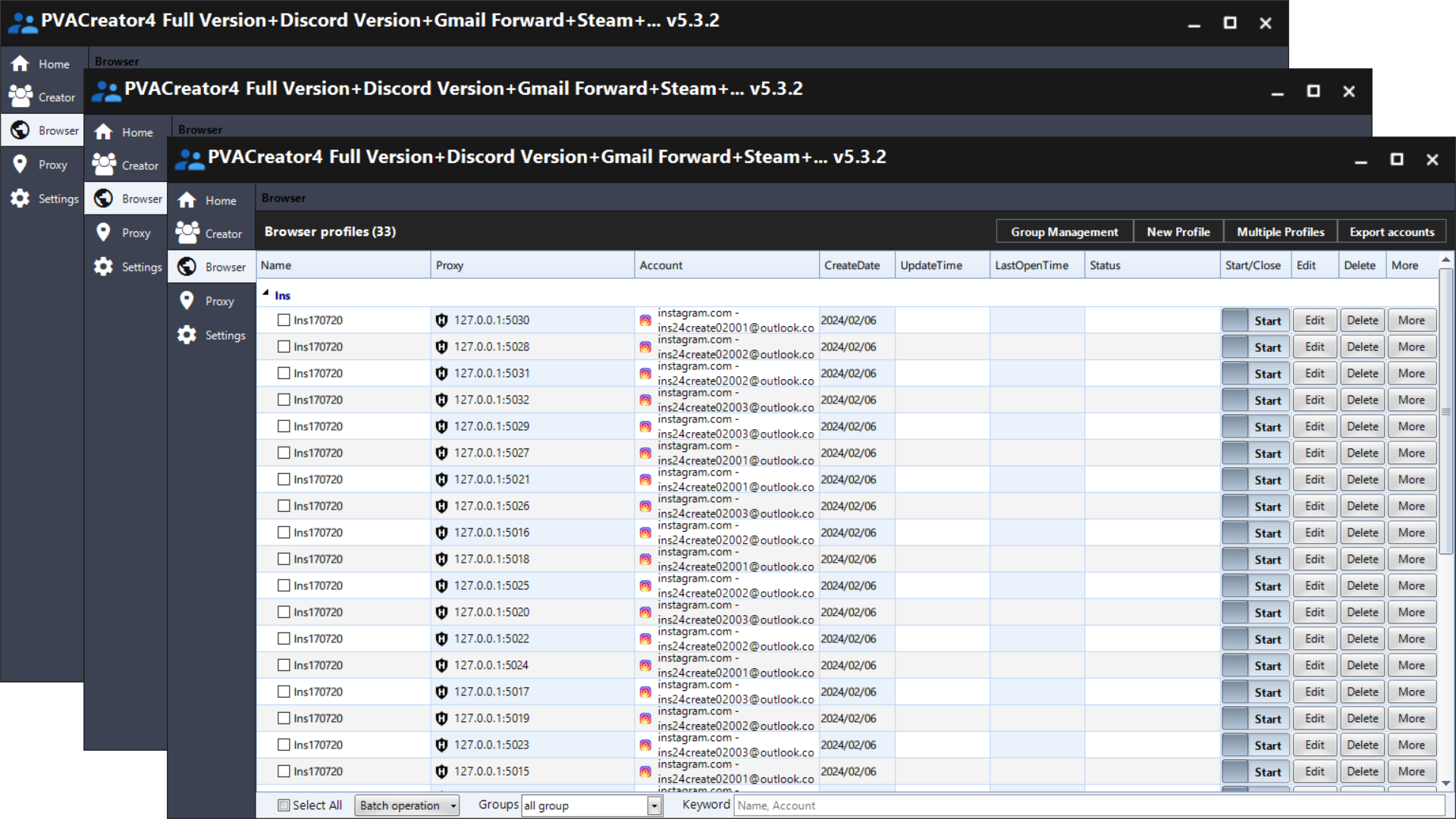
Press "Start." A progress bar shows how many accounts are done, pending, or failed. You can view logs in real-time or leave it running overnight.
Tips to Maximize Success
- Start small: try 10 accounts first to verify your settings.
- Rotate proxies based on region to reduce geo-restrictions—e.g., US proxies for US Gmail.
- Run "warm-up" tasks: PVACreator's built-in "Speeder" tests how fast a proxy solves captchas.
Conclusion
Whether you're handling ecommerce account management automation or need hundreds of automated account creation for social media profiles, PVACreator delivers a user-friendly yet powerful solution. It's not just one of the social media automation tools 2025—you can literally skip hours of busy-work and cut error rates by 90%.
If you're tired of copying and pasting forms line by line and want to spend your precious time on marketing strategies and content creativity, give PVACreator for marketers a try - leave the tedious work to the system and focus on operations on your own.
Check Knowledge Base For How Much it Really Cost.