



Tools Pros Use to Farm Accounts Without Getting Banned (Even If You're New)
Why Most People Get Banned (and What the Pros Do Differently)

Farming social media and email accounts is one of the oldest, most consistent ways to build a marketing engine, run ad campaigns, manage growth services, or resell verified accounts.
But by 2025, it's no longer as simple as running a script and hoping for the best.
Platforms like Gmail, TikTok, and Facebook are getting smarter. They detect bots, flag reused fingerprints, block reused SMS numbers, and instantly ban suspicious behavior.
If you’ve read threads on BlackHatWorld, you’ll notice something consistent:
New users complain their accounts get banned quickly
Veterans recommend the same stack of trusted tools every time
This blog will break down those exact tools. It’s not just a tool list — it’s a blueprint for beginners and pros alike to build a bulletproof account farming system with PVACreator at the core.
Why Beginners Fail at Account Farming
Let’s be brutally honest: most people fail within 24 hours of starting. Why?
❌ They skip proxies
Trying to create multiple accounts from your home IP? Expect a block after 3–5 signups.
❌ They ignore captchas
Gmail and TikTok captchas are not optional. If your solver isn’t working, the whole process breaks.
❌ They use personal phone numbers
One phone number = one account. Try more, and you'll be flagged.
❌ They reuse browser sessions
Without fingerprinting, platforms detect that you're managing multiple accounts from the same environment.
❌ They don't automate post-creation behavior
Even valid accounts get banned if they don’t behave like real users.
What the Pros on BlackHatWorld Use Instead
The pros use PVACreator — but more importantly, they pair it with the right tools. Let’s walk through each step of a bulletproof setup.
The Full PVACreator Stack (2025 Edition)
This is what a real account farming workflow looks like:
1. Phone Verification (PVA)
PVACreator integrates with SMS APIs to verify accounts with real numbers. Here are the most trusted services:
DaisySMS – Best for Gmail
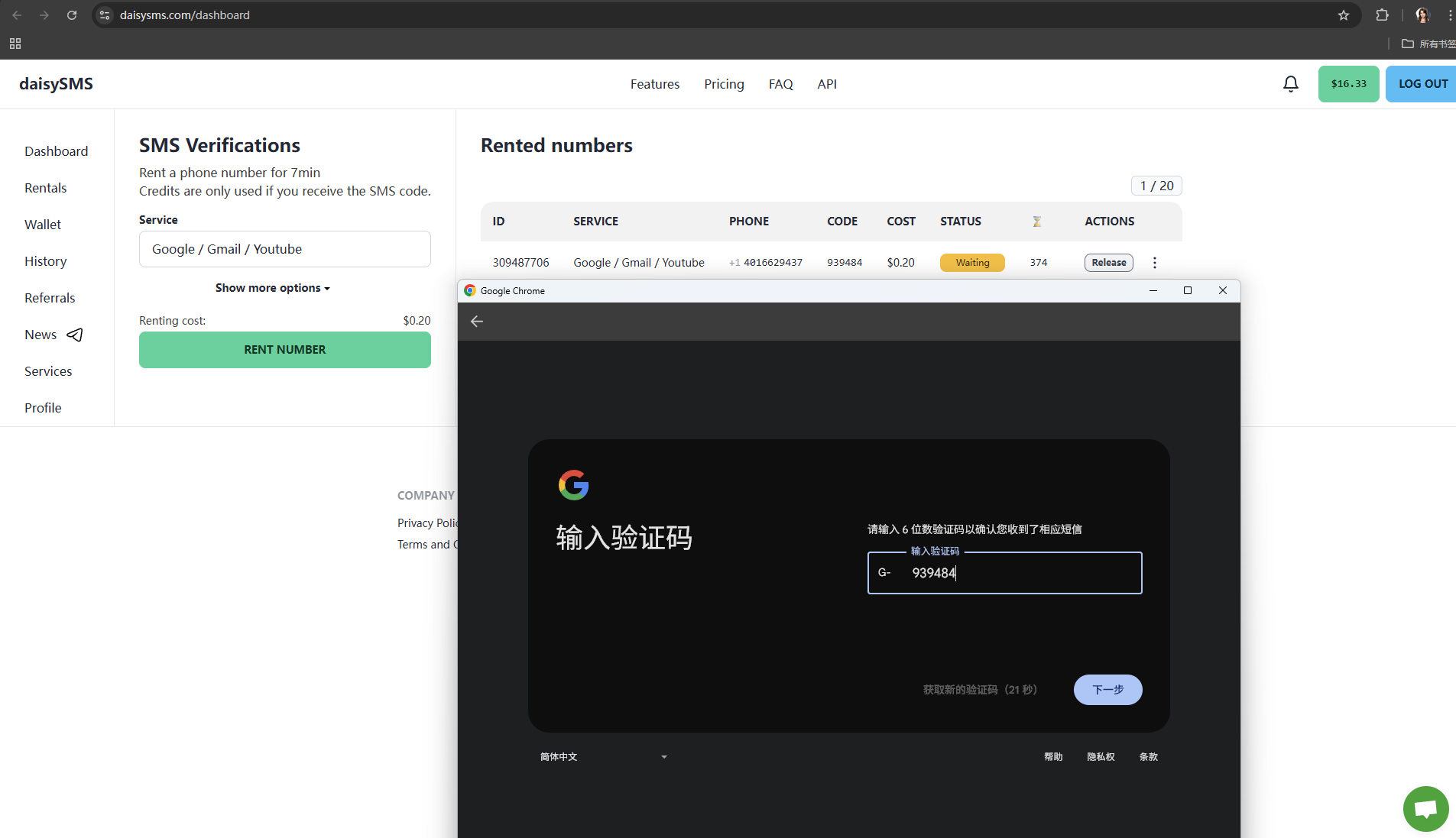
Gmail phone verification is extremely sensitive.
DaisySMS has clean, low-risk number pools that work well with Google.
SMS-Activate – Best for TikTok & Facebook
Works for a wide range of platforms.
Supports hundreds of countries.
BlackHatWorld users consistently rate it reliable.
5SIM – Great for scale
Budget-friendly.
Stable delivery and wide platform support.
Pro Tip: Don’t reuse numbers. Use a new one for each account or batch.
2. Captcha Solving
Without solving captchas, your account creation flow will fail silently. Here’s what to use:
SadCaptcha – Best for TikTok
TikTok’s mobile registration captcha is hard to crack.
SadCaptcha has the highest success rate right now, based on BHW user feedback.
YesCaptcha – Best for Gmail / Google reCAPTCHA
Designed to handle v2/v3 reCAPTCHAs.
Ideal for Gmail and YouTube account creation.
2Captcha – Good fallback
Budget-friendly and widely supported across platforms.
Great as a backup solver when others are overloaded.
In PVACreator, set SadCaptcha for TikTok, YesCaptcha for Gmail, and 2Captcha as a fallback.
3. Fingerprint Management: Anti-Detect Browsers
Even the best-created account will die if you log in from the wrong browser environment.
PVACreator Free Account Management Tool
Built for marketers, with team management, automation flows, and easy-to-use UI.
Less complex than Multilogin or AdsPower.
MultiloginPro / PVABrowser / MarketerBrowser
Industry-standard for large-scale teams.
Let you spoof canvas, fonts, geolocation, cookies, and more.
Pro Tip: Use one browser profile per account and assign a clean proxy to each. It simulates real, unique users.
4. Proxies: Undetectable IPs
Proxy quality is non-negotiable.
Never use free proxies or generic datacenter IPs — they’re blacklisted.
Use mobile or residential proxies from trusted providers (IPFarming is integrated with PVACreator).
Rotate proxies every few accounts or bind them to fingerprint profiles.
5. Post-Creation Automation: JarveePro
Creating accounts is just the beginning. They must behave like real users.
JarveePro can:
Automate follow/unfollow, likes, DMs, post scheduling
Use Spintax for human-like comments
Simulate natural delays, night modes, and behavior filters
This is especially important for:
Warming up new TikTok or Facebook accounts
Avoiding bans from sudden mass activity
Running content or engagement campaigns at scale
Workflow:
Create accounts with PVACreator → Log in with MarketerBrowser → Run warm-up flows in JarveePro
Summary Table: Foolproof Setup
| Step | Tool / Service |
|---|---|
| Account Creation | PVACreator |
| Phone Verification | DaisySMS / SMS-Activate / 5SIM |
| Captcha Solving | SadCaptcha / YesCaptcha / 2Captcha |
| Browser Fingerprint | MarketerBrowser / MultiloginPro |
| Proxies | Mobile or Residential Proxies |
| Post-Creation Automation | JarveePro |
Real-World Insights from BlackHatWorld
Here’s what’s trending in recent BHW threads:
SadCaptcha is quickly replacing older solvers for TikTok creators.
DaisySMS is the go-to Gmail SMS service due to lower ban rates.
Users combining PVACreator + AntiDetect Browser + JarveePro report the highest account survival rate.
WebBots and Telegram scripts are still causing bans and data leaks — most senior users warn against them.
Don’t Skip Steps, Stack Smart
If you’re serious about scaling account creation and automation in 2025, don’t wing it.
Thousands of new users fail because they underestimate how smart platforms have become. But with the right stack:
Your accounts last longer
Your campaigns run smoother
And you avoid the pain of bans and wasted time
Stack it right from the start — PVACreator is powerful, but only when paired with the right tools.
Want help setting up this workflow, or scaling your automation?
We’re happy to help. Drop a comment, ask a question, or explore how tools like JarveePro, MarketerBrowser, and DaisySMS can fit into your growth stack.