



PVACreator Free Account Manager: Official Tutorial & Guide
Welcome to the official PVACreator blog!
We’re excited to announce the new Free Account Manager version—designed to help you safely manage your accounts at scale, without paying a dime to get started.
In this tutorial, we'll show you how it works, what you can do with it, and how to get the most out of your free plan.
Why We Created the Free Account Manager
If you're tired of:
Losing accounts overnight
Constant bans and blocks
Expensive tools with limited features
PVACreator Free Account Manager is for you.
Our mission is to make professional-grade account management accessible to everyone, whether you're a solo marketer, agency, or large-scale operator.
What Is the PVACreator Free Account Manager?
PVACreator Free Account Manager is an all-in-one tool to manage hundreds—even thousands—of accounts without getting flagged.
Unlike spreadsheets or simple browsers, PVACreator gives every account:
Unique, fingerprint-isolated environment
Proxy integration
Session separation
No links or traces between accounts
It’s designed from the ground up for safety, privacy, and scale.
And yes—it’s 100% free to start.
Key Free Version Features
Unlimited Account Management
Add and manage as many accounts as you want.
Fingerprint Isolation
Each account runs in its own environment, defeating bulk bans.
Proxy Support
Integrate your proxies to control geolocation and avoid detection.
Easy Interface
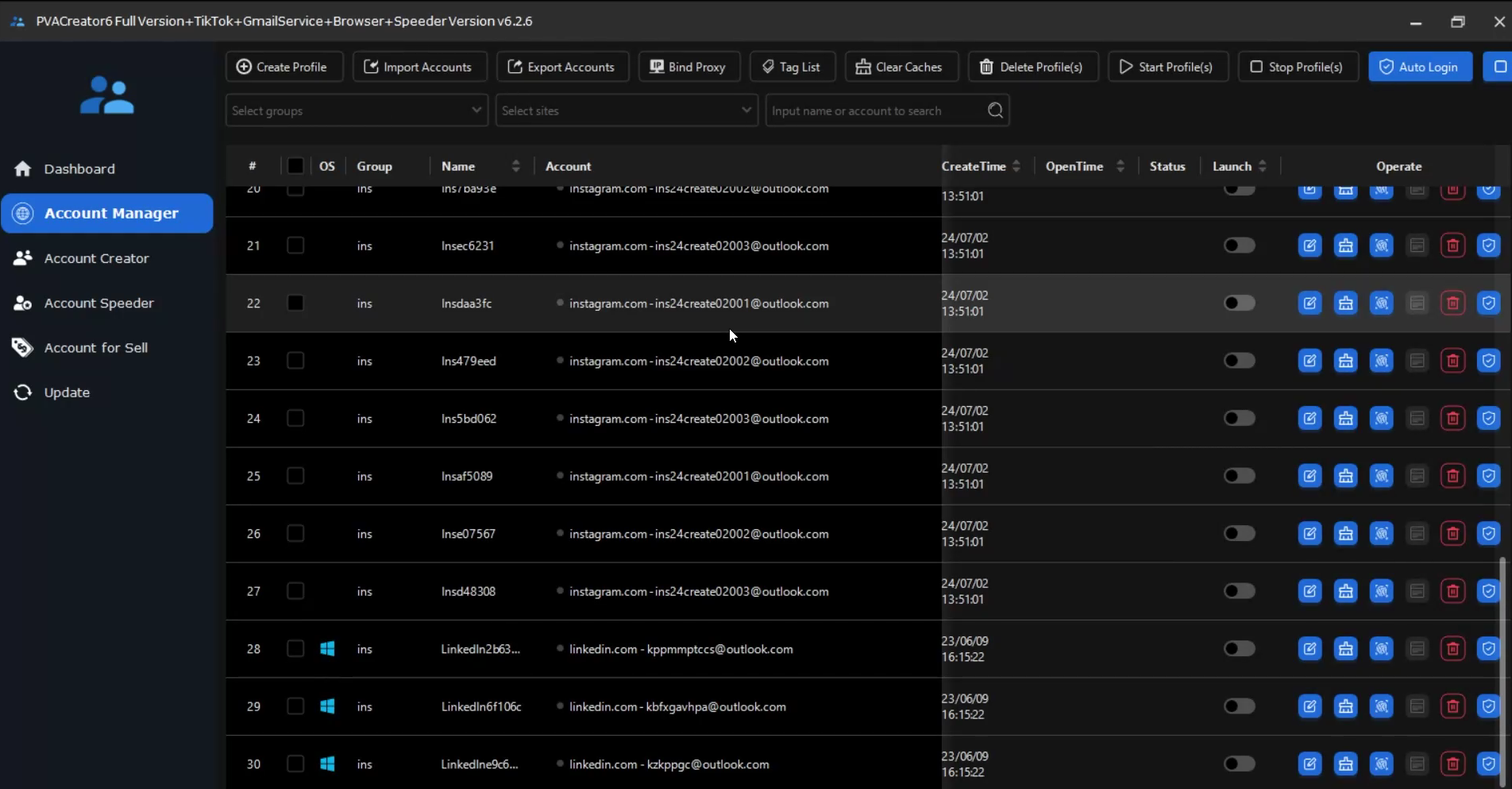
Quickly import, organize, and control all accounts.
Perfect for:
Social Media Marketing
Outreach and Lead Generation
E-commerce Store Management
Affiliate Campaigns
Step-by-Step: How to Use the Free Account Manager
Download & Install
Go to our official website.
Install on your PC (Windows supported).
No payment required. No trial expiration for the free manager.
Add Your Accounts
Open PVACreator.
Go to Account Manager.
Click Add Account.
Enter your login details, choose your proxy.
Save.
Each account will automatically get its own fingerprint profile.
Organize & Tag
Use tags and groups to keep accounts organized.
Filter by category, client, or campaign.
Assign Proxies
Go to Proxy Settings.
Add and test your proxies.
Assign them individually or in bulk to accounts.
Supports residential, mobile, and datacenter proxies.
Manage & Operate
Select accounts.
Launch sessions.
Perform your marketing or outreach tasks safely.
No shared cookies.
No device linking.
No mass bans.
Want More? Upgrade Anytime
The Free Account Manager gives you unlimited safe management—but if you want to create accounts in bulk, warm them automatically, or run advanced campaigns:
Upgrade to a paid plan to unlock:
Automated account creation (bulk PVAs)
Automated warming & task scripts
Scheduling and drip feeds
Premium support
Build. Train. Scale. All hands-free.
Frequently Asked Questions
Q: Is the Free version really unlimited?
Yes! Manage as many accounts as you want.
Q: Is there a time limit?
No. It's free forever for account management.
Q: Can I use my own proxies?
Yes. Any proxy provider works.
Q: Do you store my accounts?
No. Everything is stored locally on your PC, with strong encryption.
Start Free Today
If you’re serious about scaling social media marketing, outreach, lead gen, or e-commerce safely—this is your essential toolkit.
No cost. No risk. No reason to wait.
Download PVACreator Free Account Manager Now
Stay Connected
✅ Join our whatsapp support channel
✅ Get updates on new features
✅ Ask questions and get help
PVACreator — Automation Without Limits.
Your accounts. Your rules. Your scale.